← Back to Projects

UX/UI · Accessibility · Mobile

Incluma Accessible Networking

Most networking platforms create barriers for disabled professionals before they even get started. Incluma rethinks that experience by putting accessibility first, building mentorship into the product, and removing the pressure that usually comes with networking.
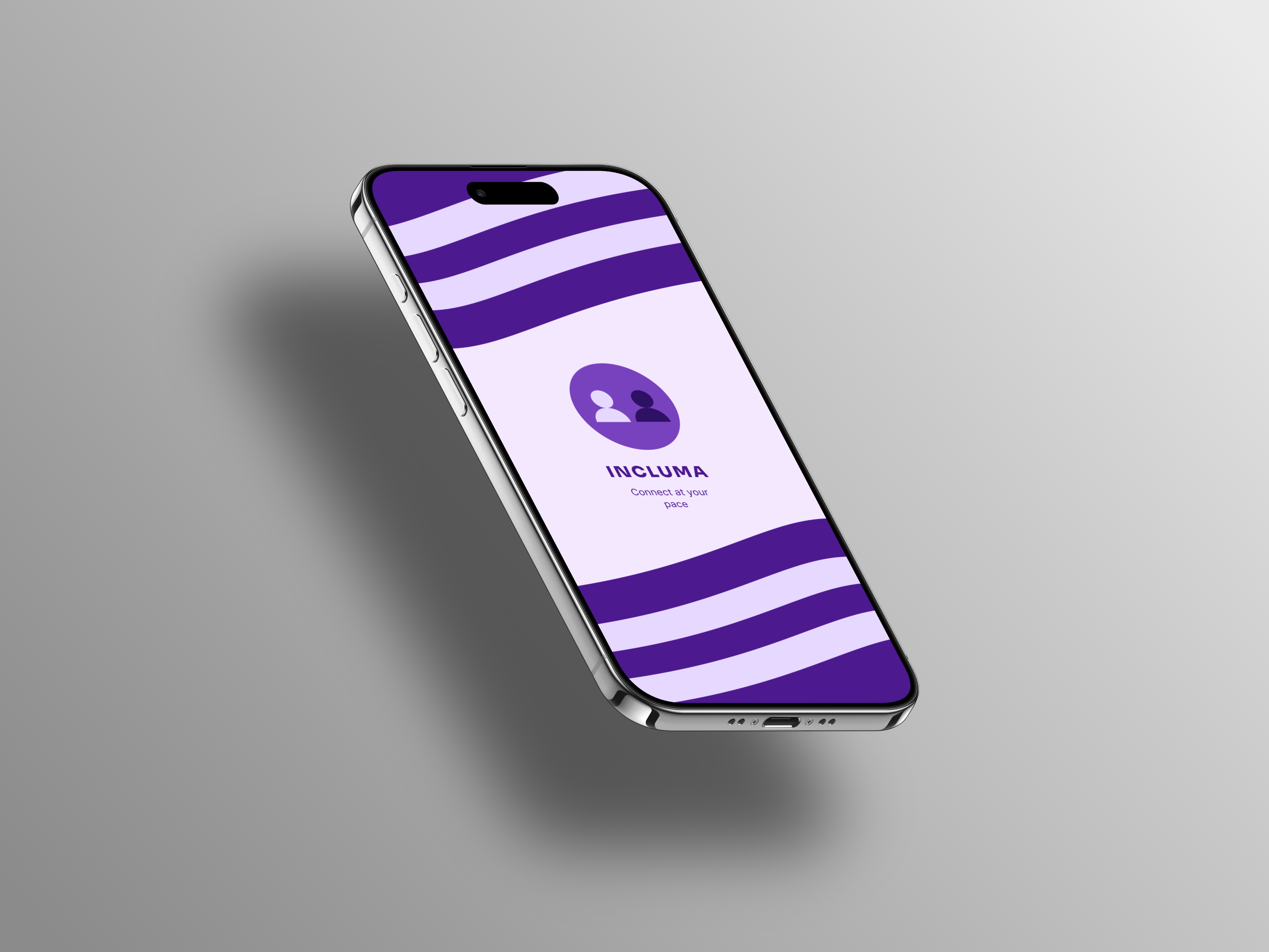
Incluma app hero mockup showing the splash screen

Role

Product & UX Designer

Focus

Accessibility Mentorship Low-Pressure Networking

Timeline

2026

1 — Problem

Networking is built for the default user.

Networking platforms are typically designed with a "default" user in mind. Because of that, disabled professionals often run into friction early, whether that's inaccessible interfaces, pressure to reach out to strangers, or difficulty finding mentors who actually understand their experiences.

2 — Research

Existing Platforms Fall Short

I looked at LinkedIn and Glassdoor for insights into onboarding, accessibility, communication patterns, and mentorship. While both platforms offer some accessibility features, they're not part of the core experience.

A few patterns stood out:

Feature
LinkedIn / Glassdoor
Incluma
Accessibility Controls
Accessibility options available but not integrated into onboarding
Established during onboarding, first step
Cognitive Load
Multiple actions and competing content on each screen
One focused task per screen
Messaging Model
Relationship-building relies on self-initiated outreach
Guided starters, async-friendly communication
Mentorship
Available but not a primary interaction
Core feature with experience-based matching
Design for Disability
Primarily designed for general audiences with accessibility accommodations
Accessibility integrated into the core experience from the start

Design Opportunity

There's an opportunity to design a networking experience where accessibility, mentorship, and lower-pressure interaction aren't add-ons, they're the foundation.

3 — Design Principles

Three guiding rules.

01
Reduce Cognitive Load
Keep flows simple, limit decisions per screen, and make content easier to scan.
02
Reduce Interaction Pressure
Remove the expectation of cold outreach and support more flexible, async communication.
03
Accessibility From the Start
Make accessibility part of core flows, not something hidden in settings.

4 — Key Design Decision

Accessibility preferences during onboarding.

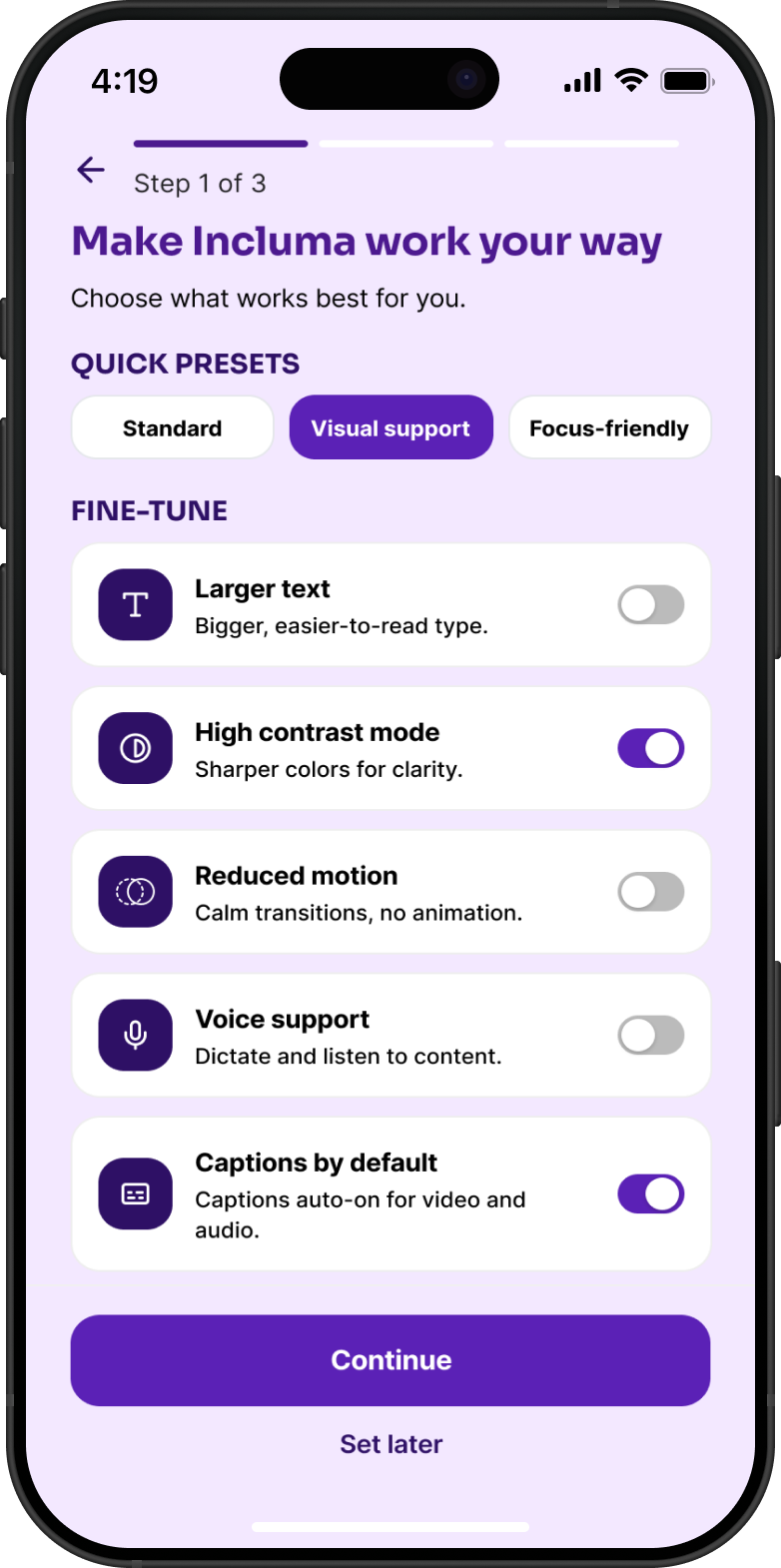
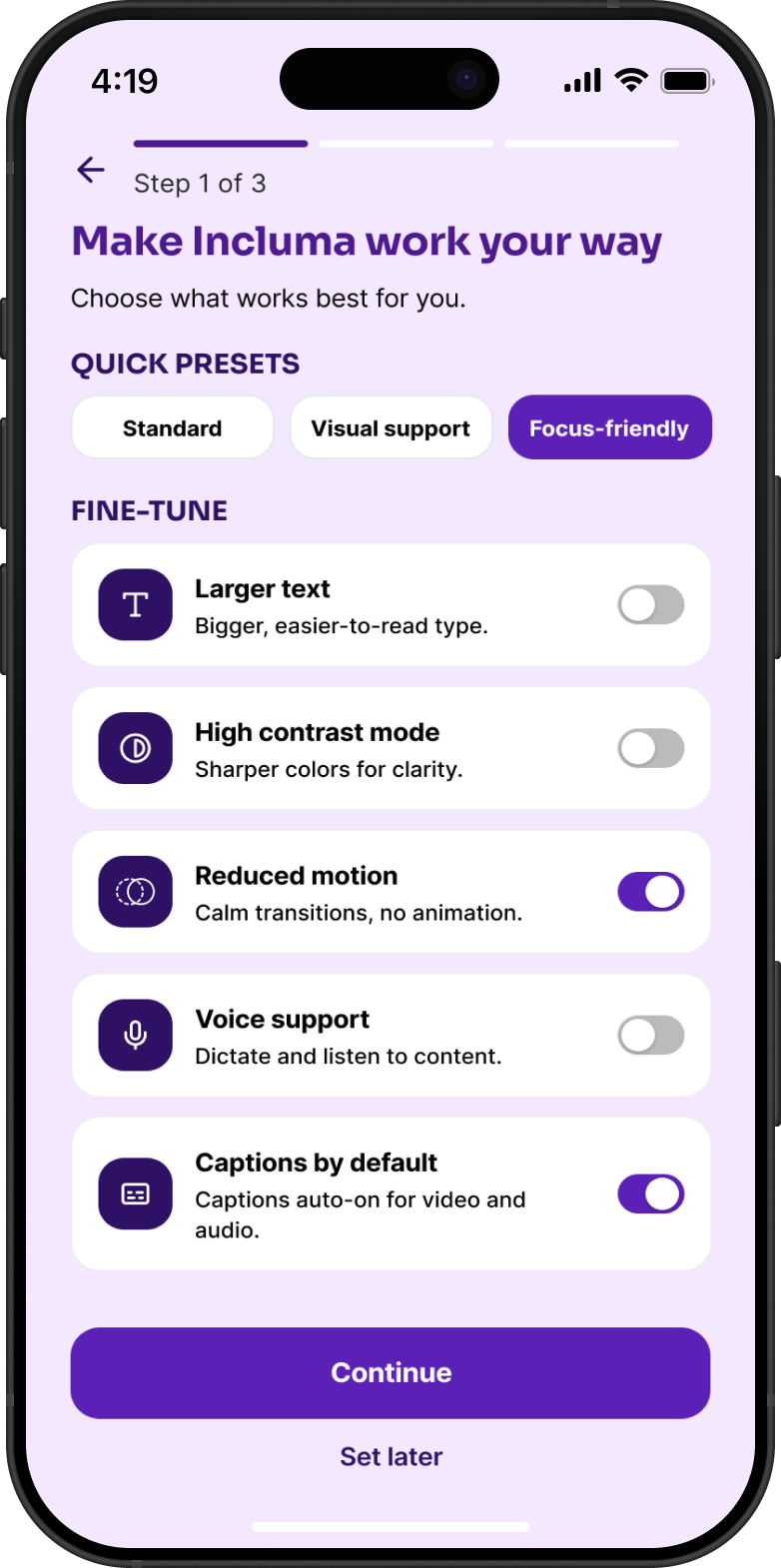
Most platforms hide accessibility settings deep in menus. Incluma brings that step forward.

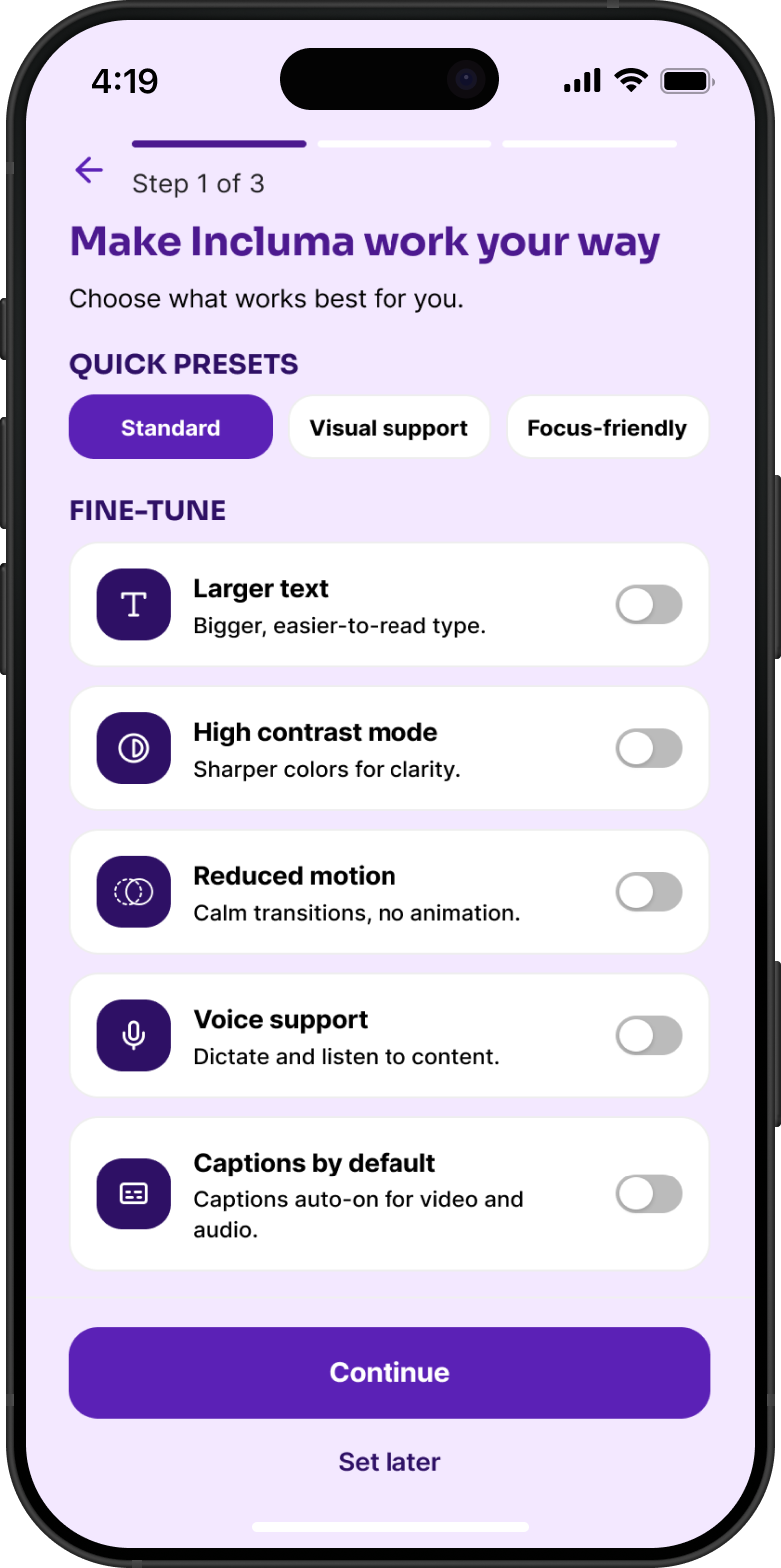
Users can choose a quick preset or adjust specific preferences before they ever reach the main experience. That way, the product adapts to them, not the other way around.

Standard accessibility preset screen

Standard preset

Visual support preset, high contrast and captions enabled

Visual support, high contrast + captions

Focus-friendly preset, reduced motion and minimal UI

Focus-friendly, reduced motion + minimal UI

5 — Onboarding

Getting started without friction.

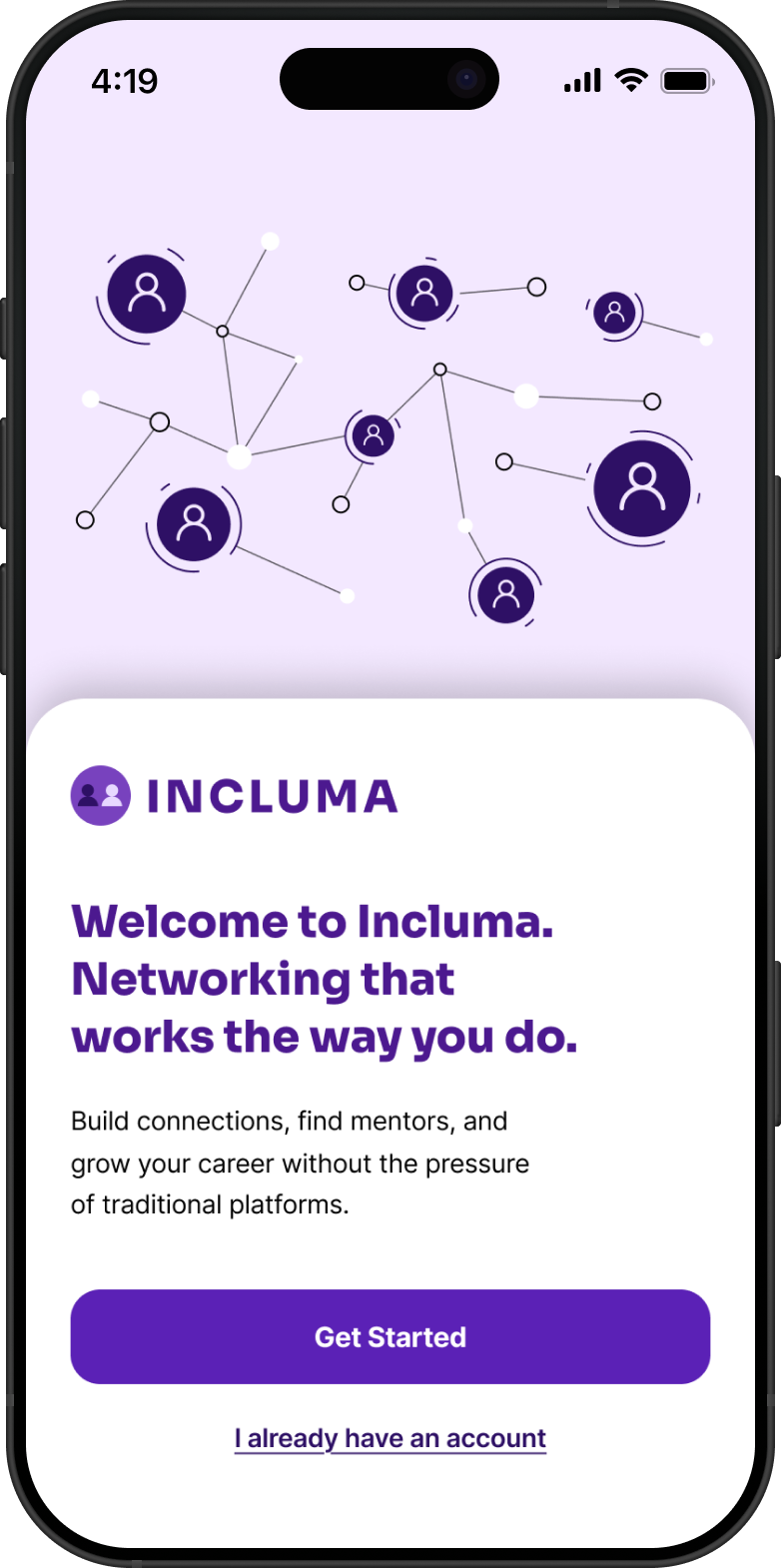
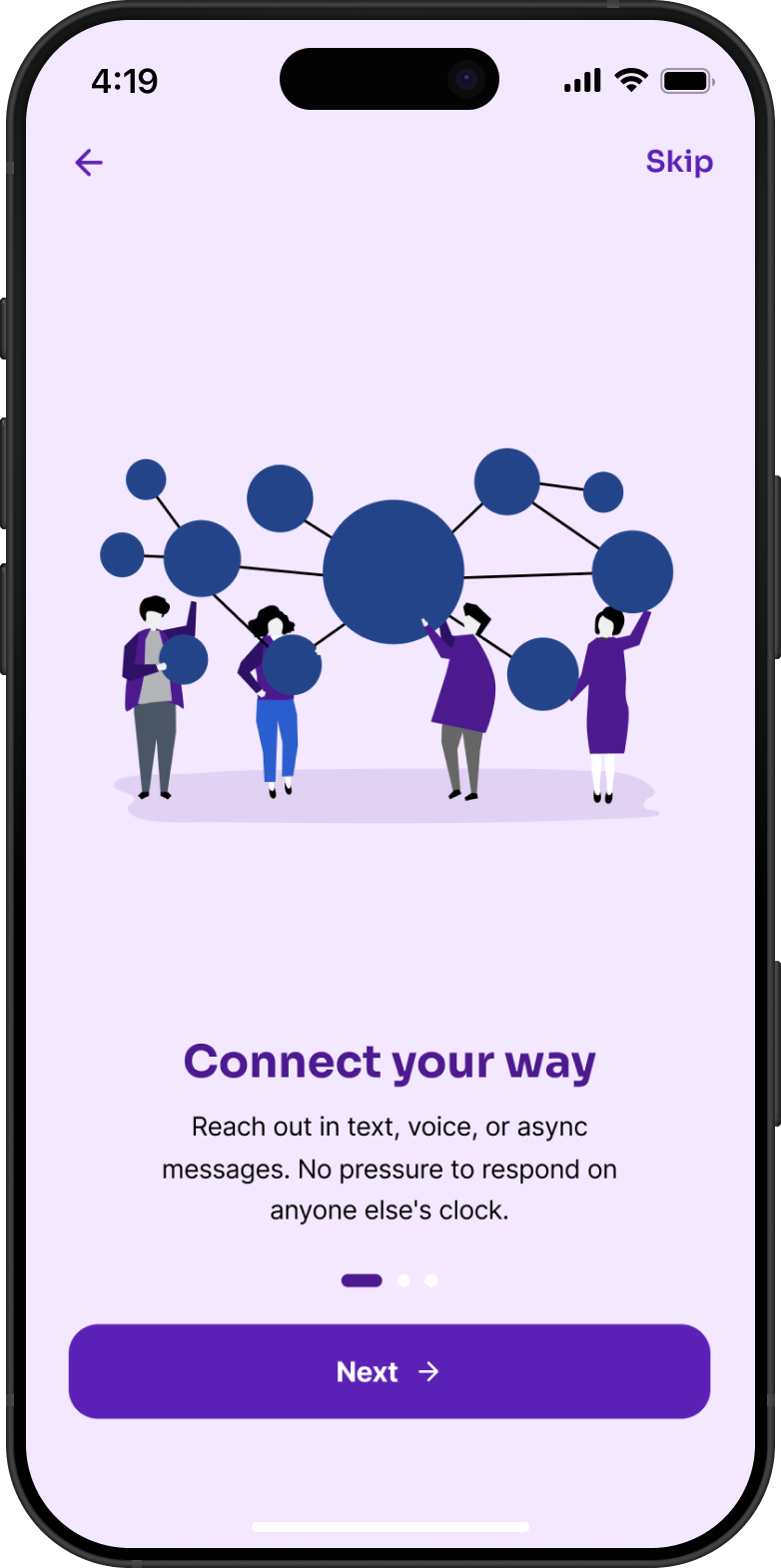
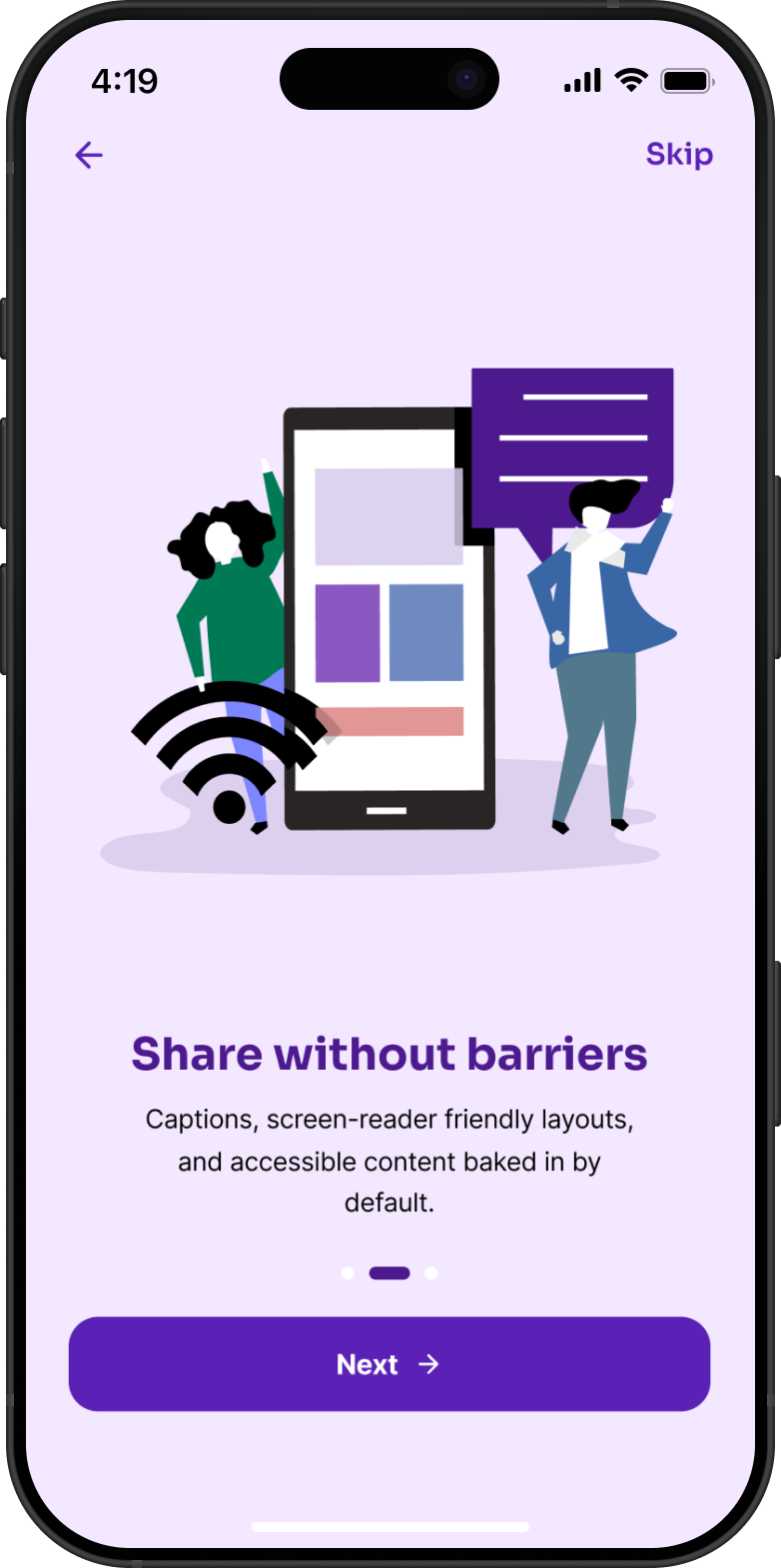
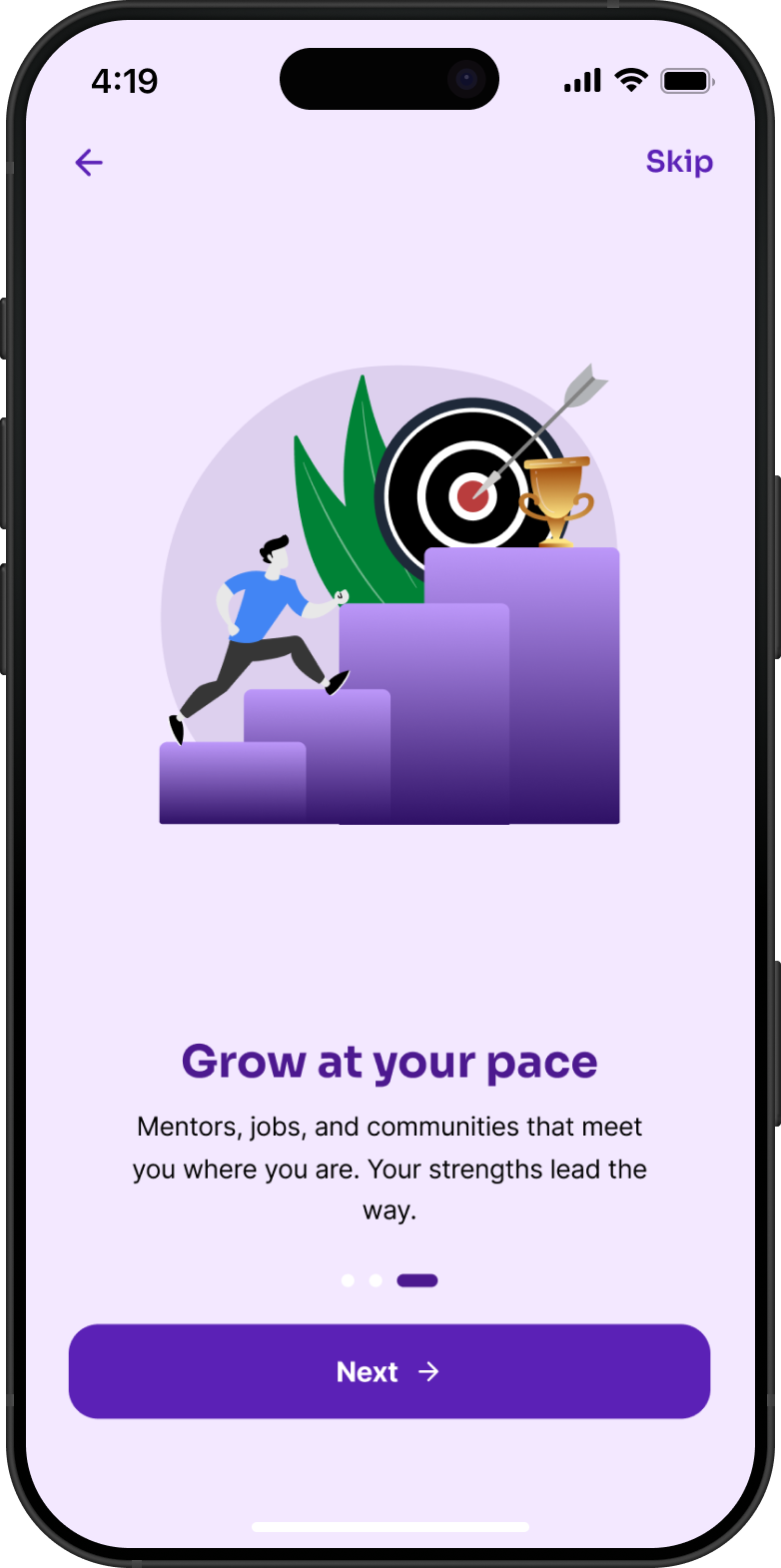
The onboarding flow focuses on explaining value before asking for input. Each step is skippable, so users can move at their own pace.

Welcome screen, Networking that works the way you do

Welcome, "Networking that works the way you do"

Connect your way, text, voice, or async messages

Connect your way, text, voice, or async

Share without barriers, captions and accessible layouts baked in

Share without barriers, captions baked in

Grow at your pace, mentors, jobs, and communities that meet you where you are

Grow at your pace, mentors & jobs that fit you

6 — Core Experience

Feed · Mentors · Messages.

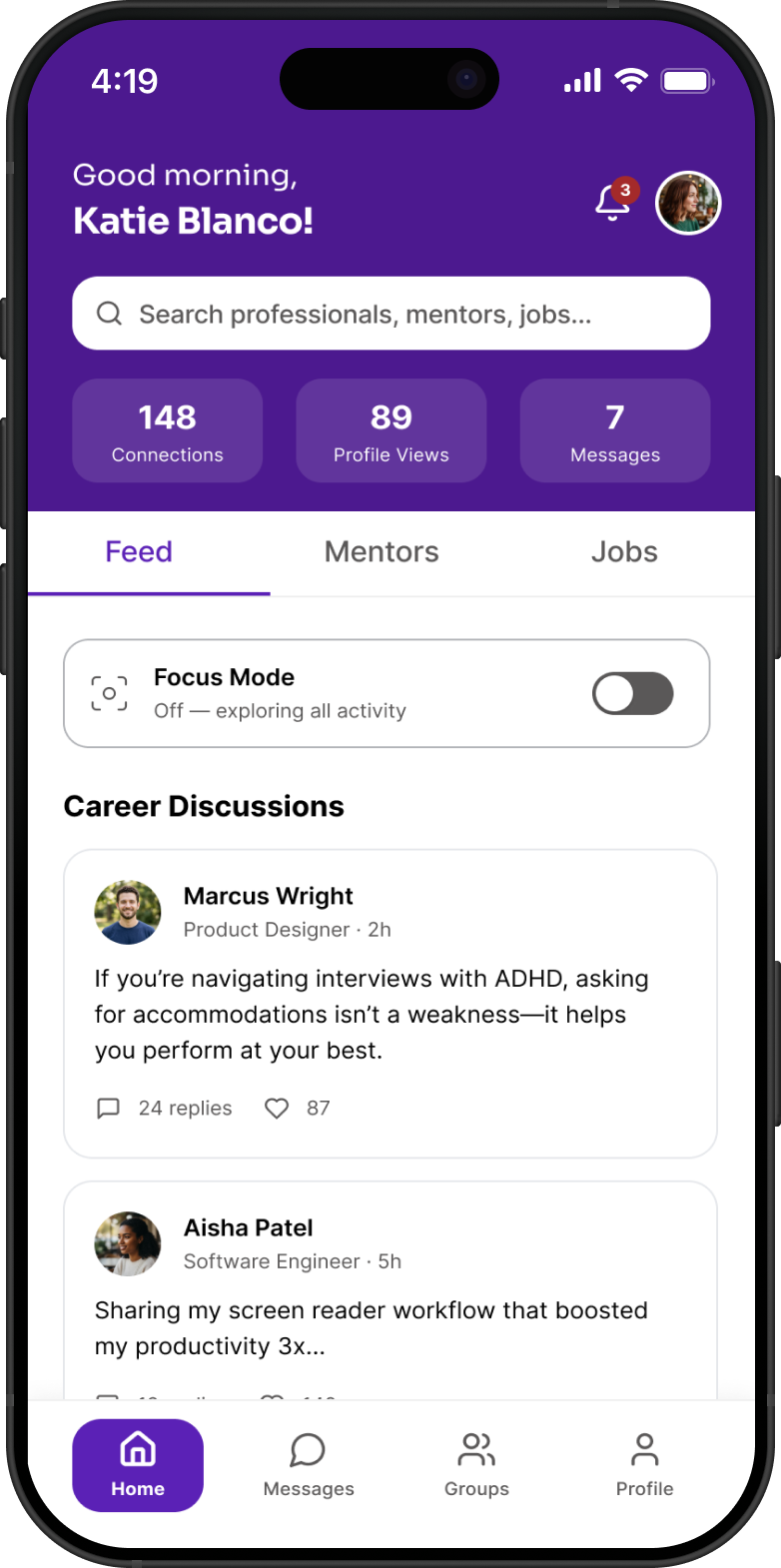
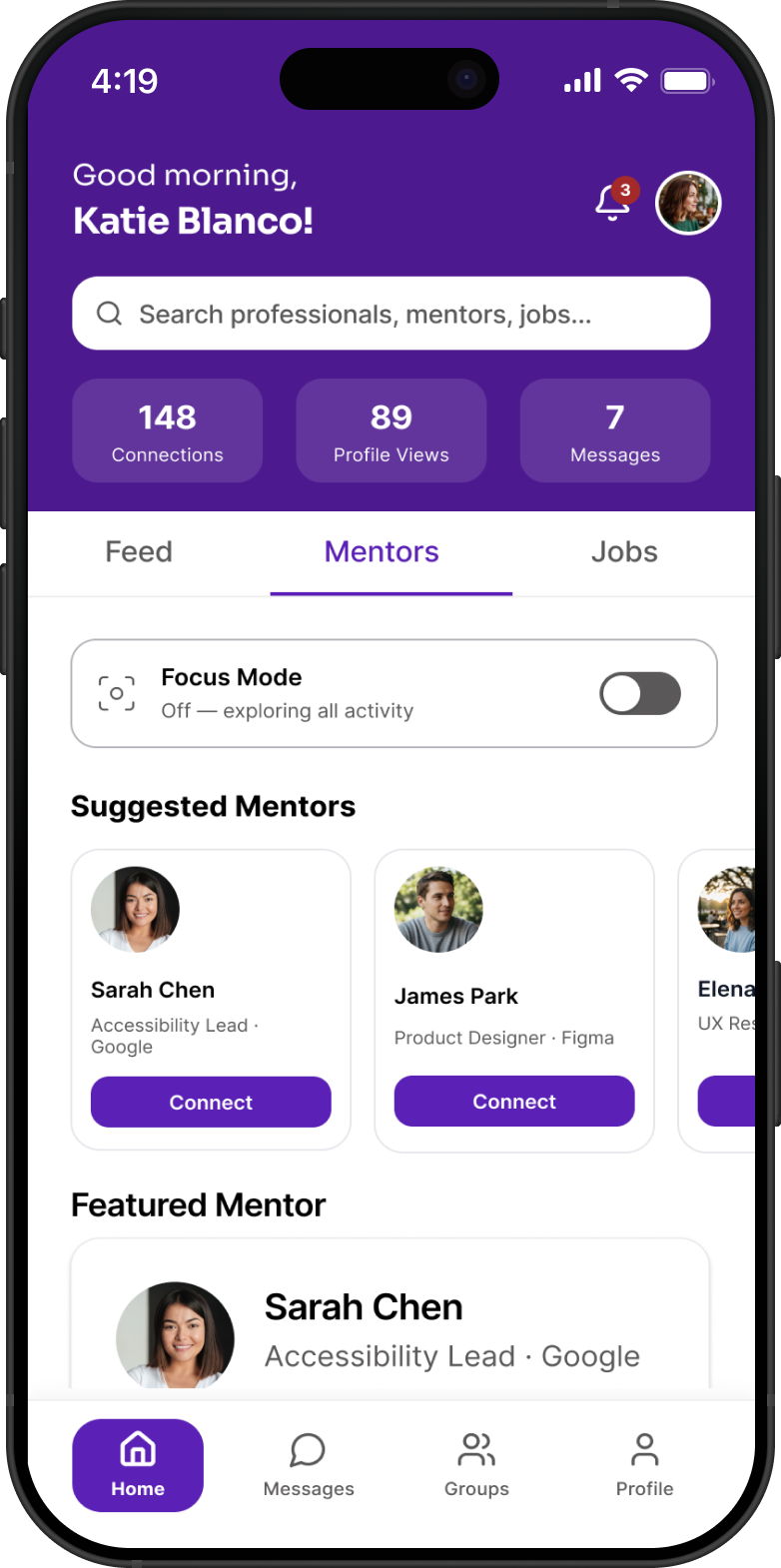
The product is centered around three main areas:

Home feed screen with Focus Mode toggle and career discussion posts

Feed, focused mode toggle, curated content

Mentors tab showing suggested mentors and a featured mentor card

Mentors, browse featured mentors and connect

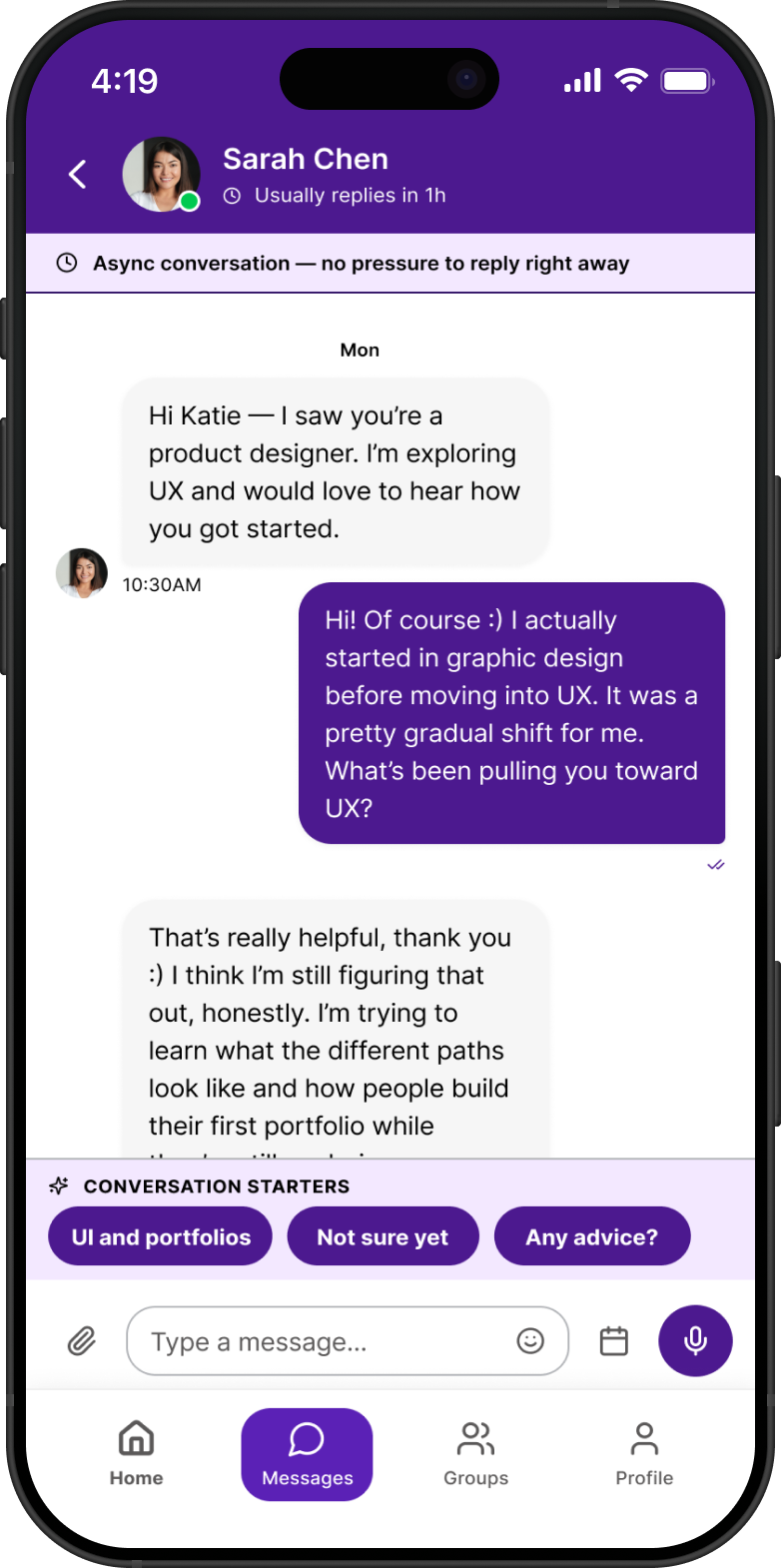
Async messaging screen with conversation starters and no-pressure reply banner

Messages, async first, no pressure to reply

7 — Focus Mode

One thing, right now.

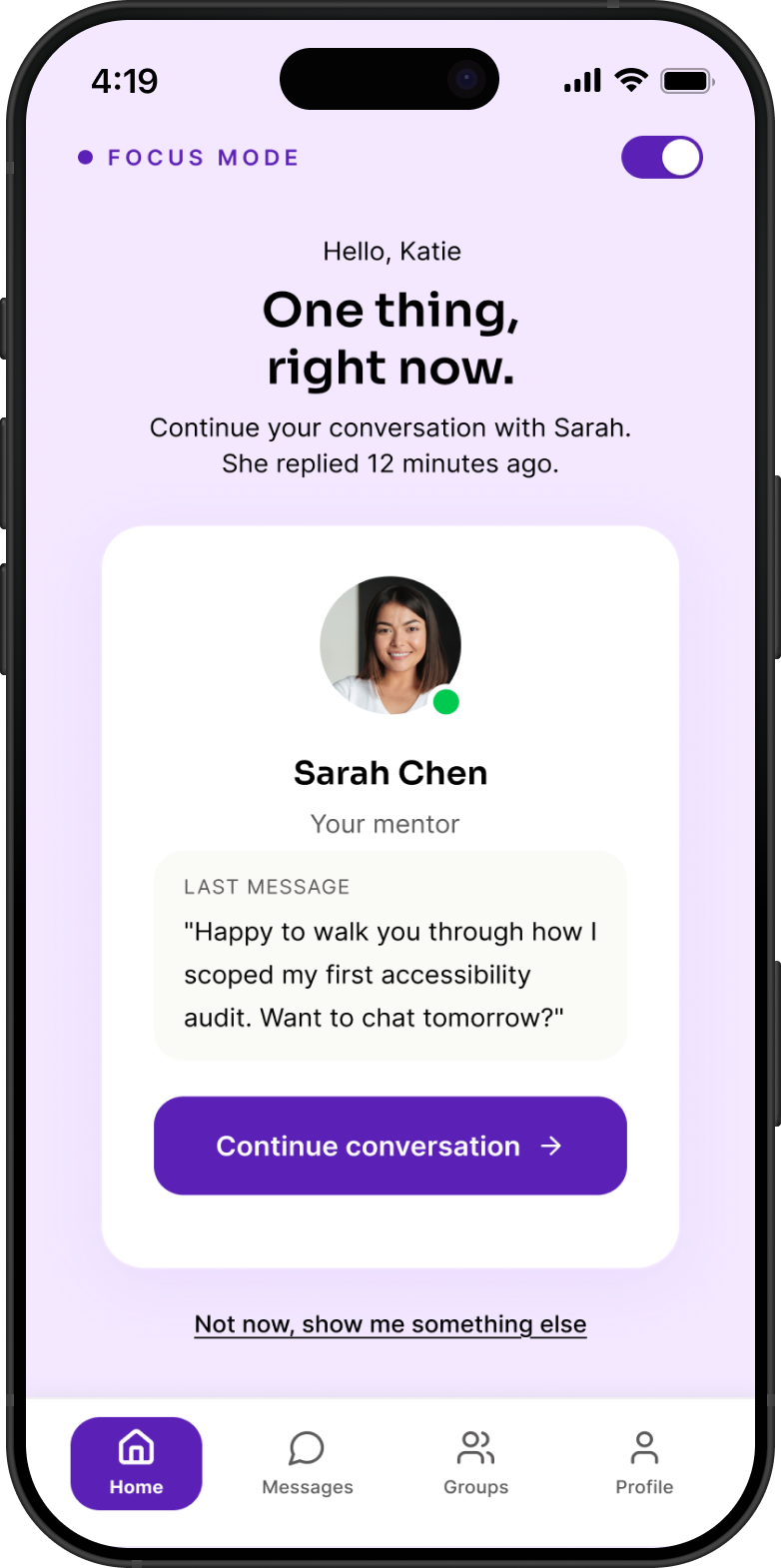
A full feed can be a lot. The Focus Mode toggle, visible on the home screen, strips everything back to a single, clear next action: pick up where the last conversation left off. No infinite scroll, no competing notifications, no decision fatigue.

It's the clearest expression of the first design principle, reduce cognitive load, turned into a feature the user controls.

Reduced Cognitive Load User Controlled Single Task
Focus Mode on, a single mentor conversation surfaced as the one thing to do right now

Focus Mode on, one surfaced action at a time

8 — Outcome & Impact

What this design proves.

Reduced Onboarding Friction
Accessibility preferences are set upfront, so users start with an experience that already works for them.
Lower Cognitive Load
Simpler screens and clearer structure make the product easier to navigate.
Reduced Interaction Pressure
Async communication removes the need for immediate responses or cold outreach.
Improved Access to Mentorship
Mentorship is easier to find and engage with because it's built into the core experience.

Design System

Color & Typography

Color & contrast. All color combinations are designed to meet WCAG AA standards, including high-contrast options.

Typography. Type choices prioritize readability across different screen sizes and accessibility needs.

Color Palette

#F3E8FF

Background

Soft lavender that keeps screens calm. Chosen specifically to avoid the harsh white that can feel overstimulating.

#5B21B6

Primary

Used for buttons, active states, and anything the user needs to act on.

#2E1065

Secondary

Deep and grounding. Used for headers, message bubbles, and text that carries the most weight.

#4C198F

Accent

A deeper supporting purple for icons, nav, and secondary surfaces, present but not competing.

Accessibility Note

All color combinations pass WCAG AA contrast requirements, verified against both standard and high-contrast preset modes.

Typography

Display / Headings

Sora

Aa Bb Cc Dd Ee Ff Gg 0123

Rounded and modern without feeling corporate. Sora keeps headings friendly and easy to scan, important for users who may experience reading fatigue.

Body / UI Text

Inter

The quick brown fox jumps over the lazy dog

Built for screens. Inter stays crisp and readable at small sizes, which matters a lot in an app where accessibility is core, not an afterthought.

9 — Reflection

What I learned.

This project changed how I think about accessibility. Instead of treating it as a checklist at the end, it became a starting point for every decision.

Designing for accessibility didn't just support a specific group, it led to a simpler, more focused experience overall.

Next Case Study

RIT University News Redesign →

View Case Study →